Mortgage / Home affordability
Front-End vs. Back-End DTI: Which Limits Your Home Budget?
Understand housing and total-debt ratios with a checked mortgage-budget example. See how existing debt changes the limiting payment and estimated home price.
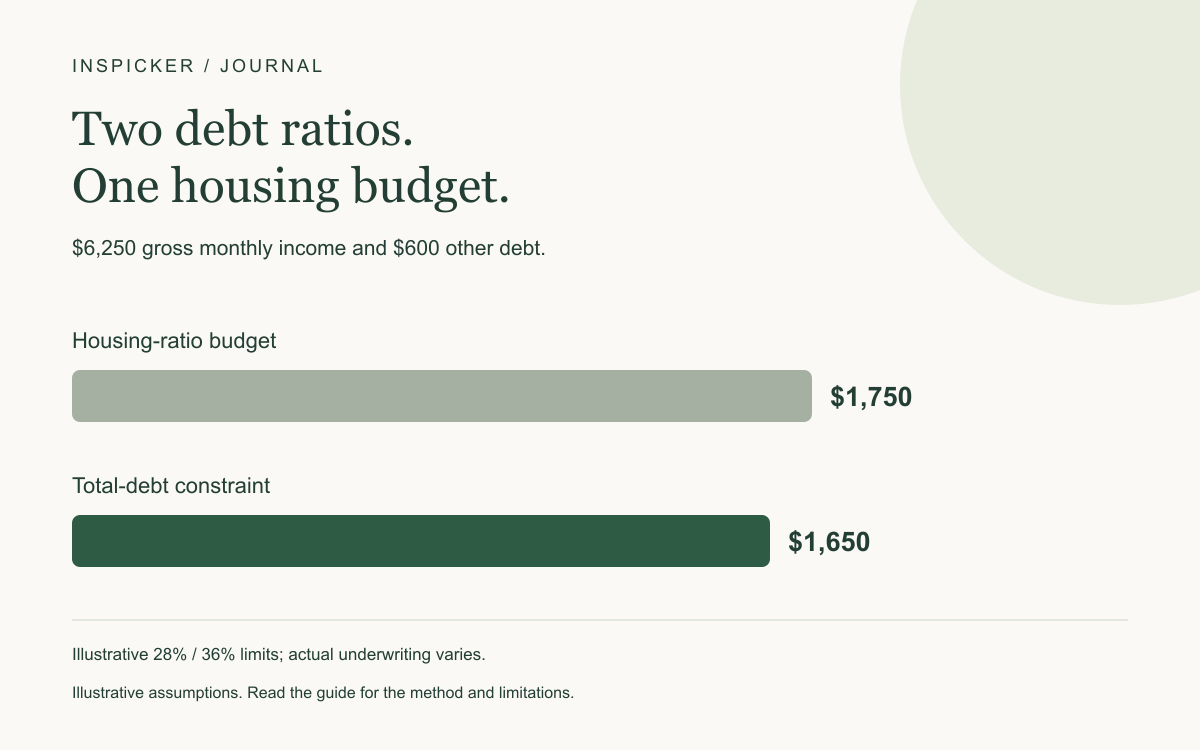
Front-end DTI compares housing costs with gross income; back-end DTI compares housing plus other qualifying debt payments with gross income. A borrower can fit one ratio and still exceed the other.
In our example, $6,250 of gross monthly income and illustrative 28% / 36% limits allow $1,750 under the housing ratio. But $600 of other debt leaves only $1,650 for housing under the total-debt limit. The second constraint is tighter.
These ratios are examples, not universal lending rules or a promise of approval. Lenders and loan programs use different criteria.
Explore your estimated home budget.
What belongs in each ratio?
A front-end ratio puts the relevant proposed housing payment over gross monthly income. A back-end ratio adds other qualifying monthly debt obligations to that housing amount before dividing by income.
Front end = qualifying monthly housing cost ÷ gross monthly income.
Back end = (qualifying housing cost + other qualifying debt payments) ÷ gross monthly income.
Gross income is income before taxes and other deductions, subject to the lender's rules for what qualifies. It is not the same as take-home pay.
The CFPB's DTI explanation describes total debt payments relative to gross income and notes that limits vary by lender and product.
Housing can include more than mortgage principal and interest. Applicable taxes, insurance, association charges, and mortgage insurance may matter under the actual underwriting rules.
Other qualifying debt payments can include required installments or minimum payments. Groceries and utilities still affect affordability, but they are not simply entered as ordinary debt installments in this model.
Worked example: the total-debt ratio is tighter
Assume:
| Input | Example |
|---|---|
| Gross annual income | $75,000 |
| Gross monthly income | $6,250 |
| Illustrative housing-ratio limit | 28% |
| Illustrative total-debt limit | 36% |
| Other monthly debt payments | $600 |
The housing-ratio budget is:
$6,250 × 28% = $1,750.
The total-debt budget first allows $2,250 of combined payments:
$6,250 × 36% = $2,250.
Subtract the $600 of other debt:
$2,250 − $600 = $1,650 available for housing.
The smaller amount controls the modeled result.
| Proposed housing cost | Front-end ratio | Back-end ratio | Fits both example limits? |
|---|---|---|---|
| $1,650 | 26.4% | 36% | Yes |
| $1,750 | 28% | 37.6% | No |
The $1,750 payment fits the front-end limit exactly but exceeds the example back-end limit. Looking only at the first ratio would overstate the allowed payment by $100.
What changes when the $600 debt payment disappears?
With no other debt, the back-end constraint would allow $2,250 of housing in this simplified comparison. The front-end constraint still allows only $1,750, so it becomes the tighter limit.
Removing $600 of debt payments therefore increases the modeled housing budget by $100, not $600, in this particular example. Once one constraint stops binding, the other can take over.
This is why a simple rule such as “every dollar of debt payment reduces the mortgage budget by a dollar” does not describe every two-ratio scenario.
Translate the payment into an estimated home price
To convert a housing-payment budget into a price, the model also needs a down payment, interest rate, term, property-tax assumption, insurance assumption, and association cost.
For illustration, use $40,000 down, a 6.5% fixed annual rate, a 30-year term, property taxes of 1.2% of price annually, insurance of 0.4% annually, and $100 monthly HOA costs.
| Other monthly debt | Limiting housing budget | Estimated price under the simple model |
|---|---|---|
| $600 | $1,650 | $235,540.11 |
| $0 | $1,750 | $248,605.15 |
These precise-looking outputs are mathematical estimates, not property valuations or loan approvals. Actual tax and insurance quotes may differ from percentages of price.
The first example has a loan-to-value ratio above 80%. The simple model does not automatically add applicable mortgage insurance. If required, that cost could lower the affordable price relative to this illustration.
Down-payment funds also do not automatically cover closing costs, reserves, or moving expenses. Those need separate cash planning.
A qualifying ratio is different from a comfortable budget
Underwriting uses a defined income and obligation framework. Your household pays bills from actual cash after deductions and still needs food, transportation, care, saving, and maintenance.
A payment that fits a lender's ratios can be uncomfortable if your other essential expenses are high. A lower payment may be a deliberate choice even if a larger amount is theoretically allowed.
The budget planner uses take-home pay for a different purpose: deciding how available money is allocated. Do not swap its net income figure into a gross-income DTI example without understanding the change.
Our emergency savings expense checklist can help identify costs that do not disappear after purchasing a home.
Keep irregular income assumptions realistic
A lender may require documentation or use an average when evaluating certain income. Do not assume every unusually strong month or unconfirmed bonus qualifies at its full amount.
Use the income and obligations the lender says apply, and keep your own conservative household budget alongside that assessment.
How to use the home-affordability calculator
Enter the income, other debts, down payment, rate, term, and property-cost assumptions. Review the ratio assumptions shown by the model and which constraint is limiting the result.
To follow the article, compare $600 of other debt with zero while leaving every other input unchanged. The example uses 28% and 36% limits.
Check these common input errors:
- Entering annual income as though it were monthly.
- Using take-home pay in a gross-income ratio without intending to.
- Adding escrow-paid taxes or insurance again.
- Ignoring association charges or applicable mortgage insurance.
- Treating a rough tax percentage as a property-specific quote.
- Counting the entire cash balance as down payment while leaving no funds for other required costs.
The calculator does not reproduce a lender's full underwriting system. Product-specific rules, credit history, reserves, income qualification, and insurance requirements can change the outcome.
Compare the two DTI constraints.
Common questions
Is 28/36 the rule every lender uses?
No. Those are the illustrative constraints in this example. Actual loan products and lenders can use different limits and additional criteria.
Does back-end DTI include all spending?
It concerns qualifying obligations under the relevant rules, not every household expense. Other spending still matters to your cash budget.
Will paying off a car loan raise the budget by the same payment?
Not always. The front-end housing constraint may become binding, as the example demonstrates.
Does a result mean I will be approved?
No. It is a planning estimate using the entered assumptions. A lender must evaluate the actual application and product requirements.
Editorial note: Ratios, costs, and prices are hypothetical. The model is not underwriting advice, an approval decision, or a lender quote.
For education and planning. Check assumptions and product terms before making a financial decision.
Put the numbers to work ↗